AFK alerts you can't sleep through: a sound, a screen flash in the alert's own color and a
bar in the corner. Pick a preset for chinning, crabbing, mining, woodcutting, fishing or
salvaging.
Know what you're about to act on, and what you acted on: the tile, NPC, object or item under
your cursor in blue, and what you clicked in orange until you're done.
They run in RuneLite, built from the repo, until they're on the Plugin Hub.Free, open source ( MIT ), no tracking.
consts-AFK
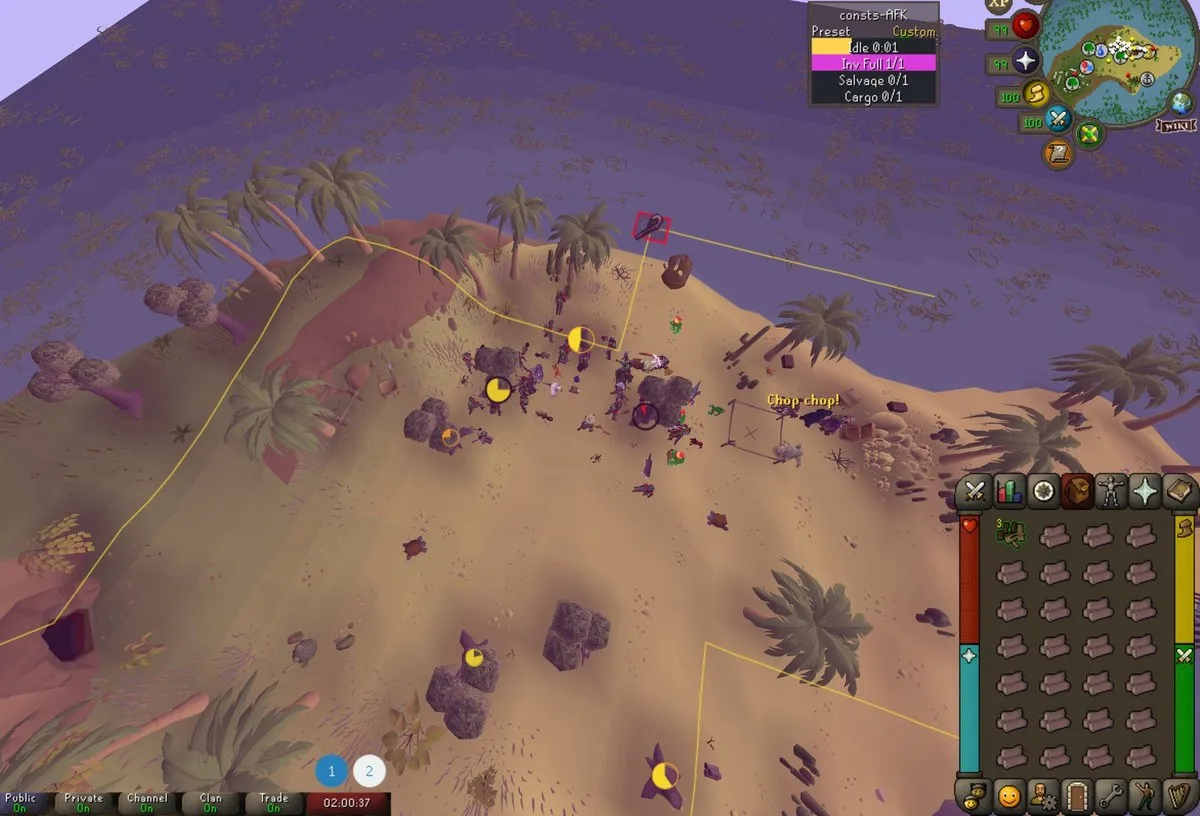
Beep, flash, bar. Every alert does three things at once: a sound, a flash over the whole game screen in its own
color, and a bar in the status panel up in the corner. Half asleep, second monitor, other room -
one of the three gets you. The sound is the system beep, or any of the game's own: a town crier
bell, a Grand Exchange ding, any sound effect by its id.
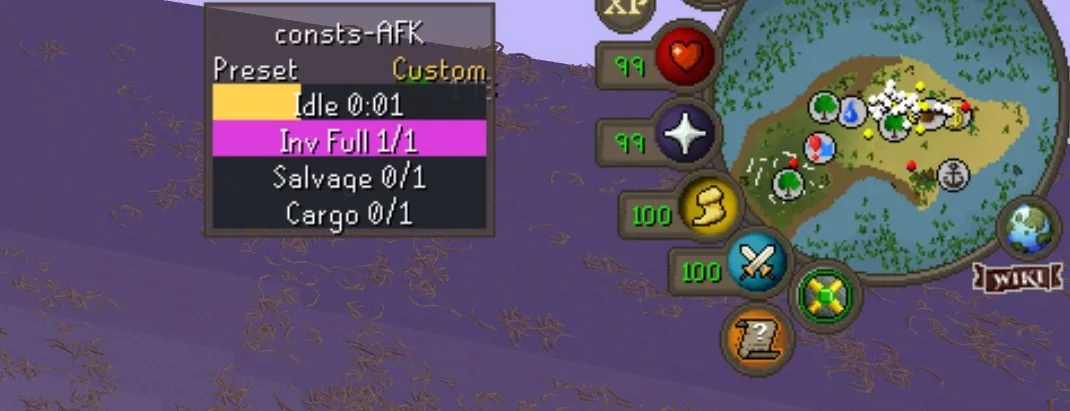
Inventory full while woodcutting. Click anywhere and it stops.
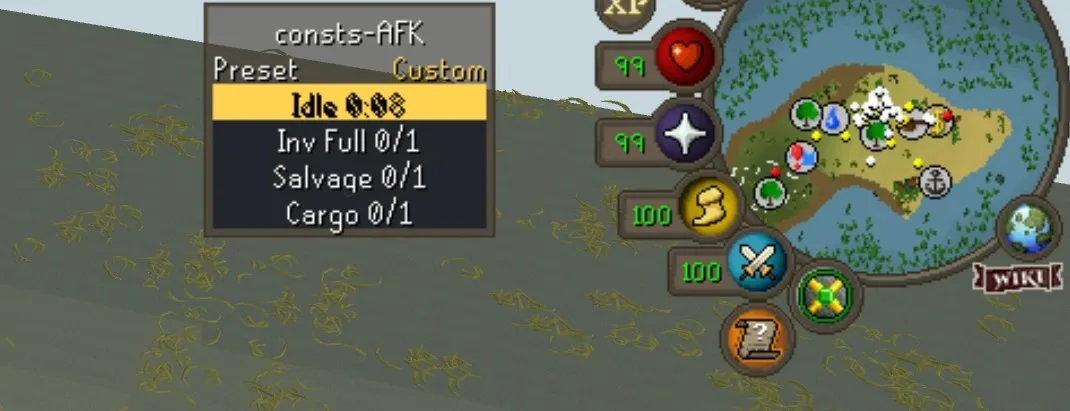
Idle: you stopped chopping.Inv Full: nowhere to put the logs.
A click or a key press dismisses an alert. Turn Dismiss on Click off for any alert a stray
click should never hush. And one you click away stays quiet for a minute, so a repeating
message can't start it again while you sort, bank or drop.
Twelve alerts, twelve colors
HealthHitpoints drop below your threshold ( 25 )
PrayerPrayer drops below your threshold ( 20 )
Idleno movement, animation, combat or XP for 6 seconds
Aggromonsters stop being aggressive - leave the area and it resets
Logoutno click or key for 24 minutes, a minute before the game logs you out
Potiona potion or effect is about to run out
Randoma random event targets you - yours, not someone else’s nearby
Cannonyour cannon is out of ammo
Inv Fullyour inventory is too full to hold any more
Salvagethe shipwreck is picked clean, or there is nothing left to sort
Cargoyour crew can’t salvage because the cargo hold is full
Forestrya Forestry event you picked starts nearby - and the panel names it
Aggro tracks the game's own rule, the way RuneLite's
NPC Aggression Timer
by Woox does: two areas around where you've been, and the ten minutes only start over once you
leave both. It draws them on the ground, yellow while monsters are still aggressive, so you can
see exactly where to walk to reset.
Every alert has its own settings section with the same items: Enabled, Dismiss on Click,
Color, then its own.
One dropdown, the right alerts
The Preset dropdown sits at the top of the config, or right-click the panel in
game. A preset only picks which alerts are on - your thresholds and colors stay put. Here's the
panel each one gives you:
PresetChinning
Health 99/99
Prayer 99/99
Aggro 8:15
Logout 22:41
Potion 0/1
PresetCrabbing
Health 99/99
Idle 0:02
Aggro 8:15
Logout 22:41
Potion 0/1
PresetMining
Idle 0:02
Inv Full 0/1
PresetWoodcutting
Idle 0:02
Inv Full 0/1
Forestry 0/1
PresetFishing
Idle 0:02
Inv Full 0/1
PresetSalvaging Active
Inv Full 0/1
Salvage 0/1
PresetSalvaging AFK
Cargo 0/1
PresetCustom
whatever you turn on
Every preset holds Idle while you're still animating, so a long chop or a slow catch never
dings you mid-swing; the panel shows your current animation while it waits. Custom hands
control back to each alert's own Enabled, and remembers exactly how you left it.
Salvaging AFK is the lazy one: two crewmates on salvaging hooks at a shipwreck, one alert. When
the hold fills the crew says so in chat, and the screen goes violet.
Forestry, your pick
The Woodcutting preset is Idle, Inv Full and Forestry. When an event starts
near you the screen goes lime and
the panel names it - Forestry Ent, Forestry Leprechaun - so you know if it's worth getting up for.
Each event has its own checkbox, all on to start. Untick the ones you'd rather chop through:
Rising Roots
Struggling Sapling
Flowering Tree
Woodcutting Leprechaun
Beehive
Friendly Ent
Poachers
Pheasant Control
Enchantment Ritual
One alert per event: more entlings, a withering sapling or a loading screen won't set it off
again.
consts-Destination
Know what you're about to act on, and what you acted on. Anything under your cursor that you
can do something with lights up blue - the tile, or the NPC, player, object or ground item on
it. Click, and what you clicked turns orange and stays that way until you're done.
HoverThe tile under your cursor, or the NPC, player, object or item there, outlined.
Red if your click would attack it.
ClickedThe tile you're walking to, or what you're interacting with: its outline flashes
white, then holds orange. Red in a fight.
ClearedBy walking somewhere else, using an item, getting there, or logging out.
The outlines are RuneLite's
Interact Highlight
by Adam, folded in, so you can turn that plugin off and run this one alone. The colors, the
tiles and the outlines are all yours to change.
Up and running
They aren't on the Plugin Hub ( yet ), so they run in a RuneLite client built from
the repo. Ten minutes, once.
Install two JDKs: 17 or newer to run the build, 11 for the client. On a Mac,
brew install openjdk and brew install --cask temurin@11.
Jagex account? Start RuneLite with --configure, add the client argument
--insecure-write-credentials, and log in through the Jagex Launcher one time.
The client you build logs in with that from then on.
./run.sh all - tests, build, and RuneLite opens with consts-AFK and
consts-Destination in the plugin list. Pick a preset and go AFK.
Not on a Mac? Point JAVA_HOME and RUNELITE_JAVA_HOME at your JDKs
first; the README has the rest.
Follow my journey
consts-AFK gets built and tested on my own account, const athena. Its skills,
from the official Old School hiscores, read on 19 October 2026: